
Compliance & Immigration
Nobody starts without their paperwork.
One document vault for everything. A file collected at sourcing counts for onboarding too. Compliance reads the vault directly, so nothing is ticked by hand, and Immigration counts down from the I-797 uploaded at onboarding.
Book a 20-minute demo
01 · Compliance, grouped by recruiter
See where the paperwork gaps are.
Group by recruiter and you will usually find the gaps are not spread evenly. Compliance reads the document vault directly, so the view always matches what is actually on file. The sidebar badge counts the open items, so you notice without opening the module.
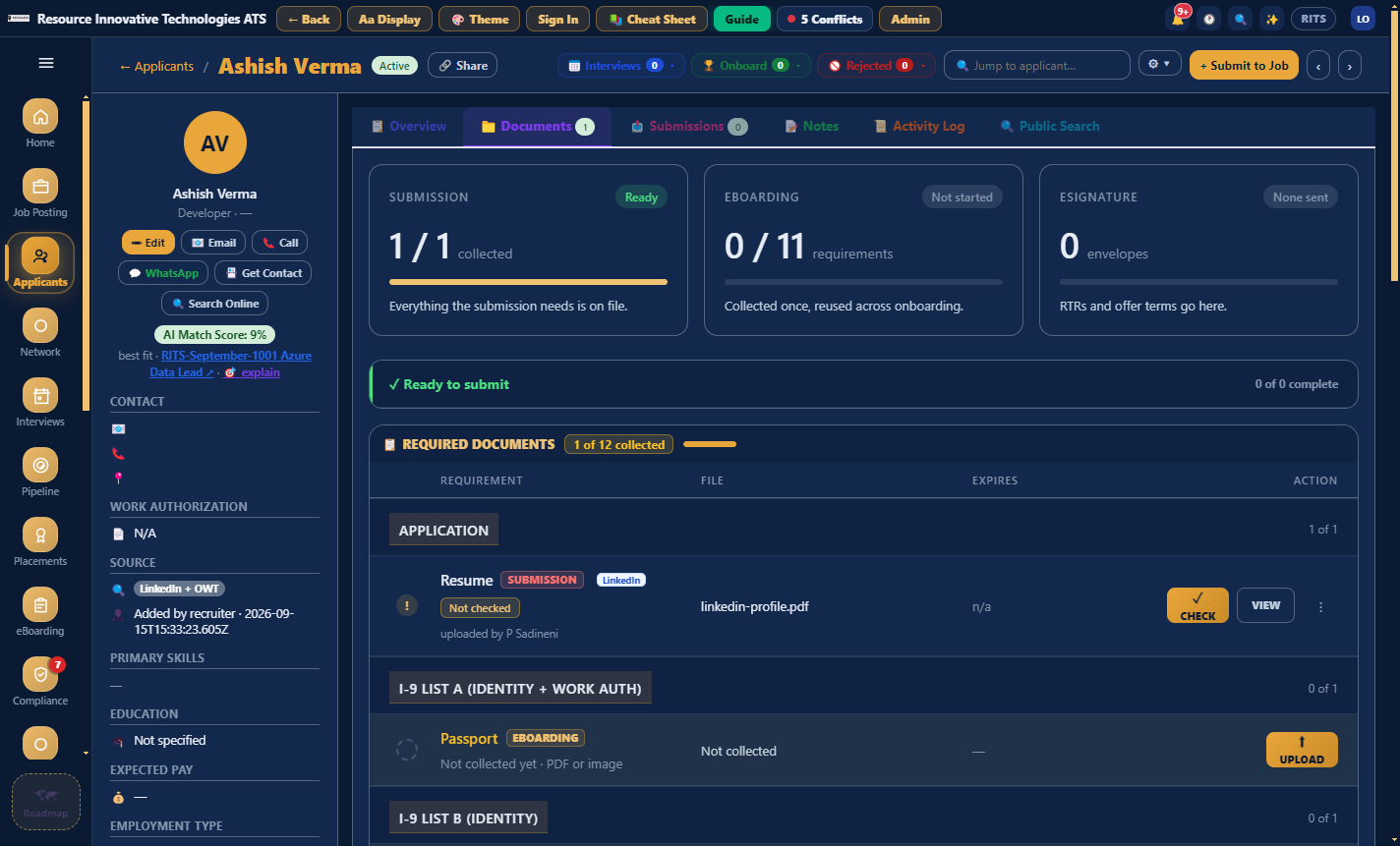
02 · Applicant profile, Documents tab
Collect a document once and reuse it.
Every document a person owes is kept in one place. Send upload link lets the candidate upload from a phone with no login, and the file goes into the right slot. A vendor's MSA and W-9 cover every consultant from that vendor.
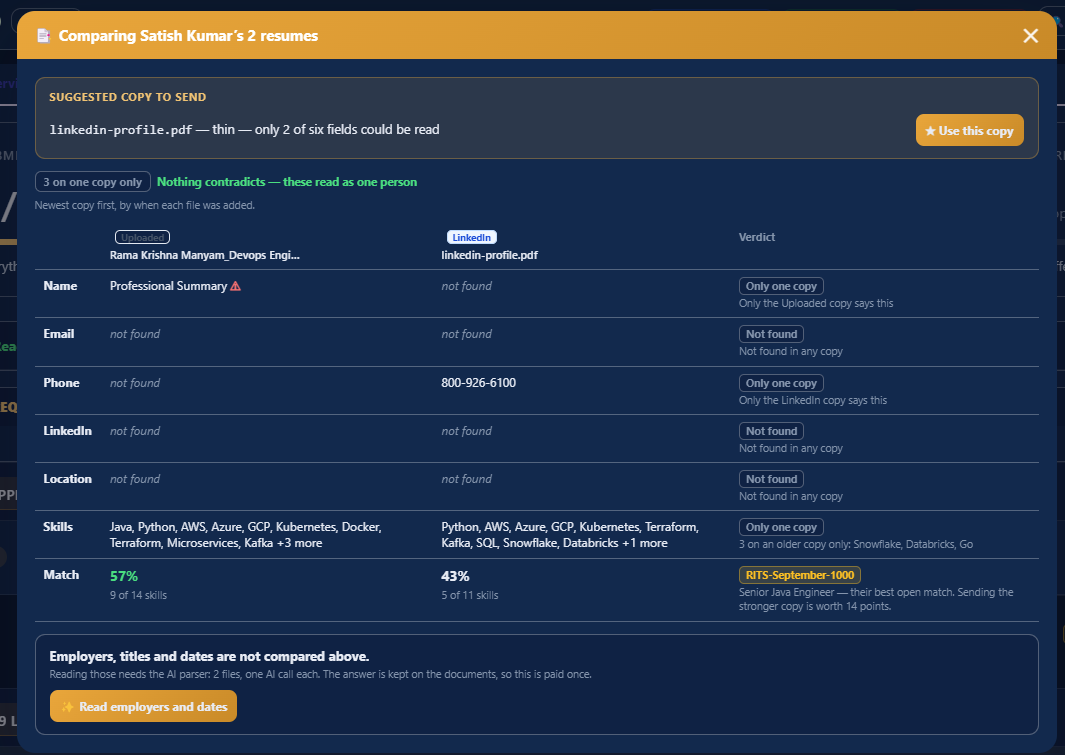
03 · Documents, Compare
Two resumes for one person.
Compare lays every field out across the copies and marks where only one copy has it, where neither does, and where they disagree. It tells you which copy to send and why, and scores each copy against the best-fit requisition, 57% against 43% in this example. It also lists what it has not compared yet and what that would cost.
04 · eBoarding, Immigration and eSignature
Get them started and keep them legal.
eBoarding collects the onboarding pack from a placed consultant and chases whatever is missing. Immigration watches the expiry dates stored in the same vault and flags them at 90 and 30 days. eSignature sends documents for signature from inside the app using a link, with no account needed.
- Praveen SadineniH-1BOct 1431 days
- Sandhya SadineniI-9 re-verifyNov 0250 days
- Gagana SadineniBackground checkDec 20OK
- Surya SadineniW-4—Missing
- Chandra SadineniE-VerifySep 20Confirmed
In detail
What is in this module.
Onboarding
- eBoarding packs per consultant, with missing items chased automatically
- Onboarding checklist per requisition
- eSignature templates and field designer, with sequential or parallel signing
- DocuSign hand-off for clients who require it
Ongoing
- Right-to-Represent gaps shown before submission
- Document expiry with 30-day and 90-day warnings
- Immigration profile per employee
- Submission rules that explain themselves. An H-1B on a 1099 is refused, and the refusal says why.
Works with
- DocuSign
- Gmail
- Outlook

Twenty minutes, no slides
See your own reqs in it.
Bring a job description and a vendor list to the demo and we will set them up live while you watch.
Book a 20-minute demo