
Recruiting
From JD to shortlist in one afternoon.
Requisitions in six views, a 14-step sourcing plan for every role, seven boolean searches with the reason for each one, and a pipeline that blocks a stage move if it would break a rule.
Book a 20-minute demo
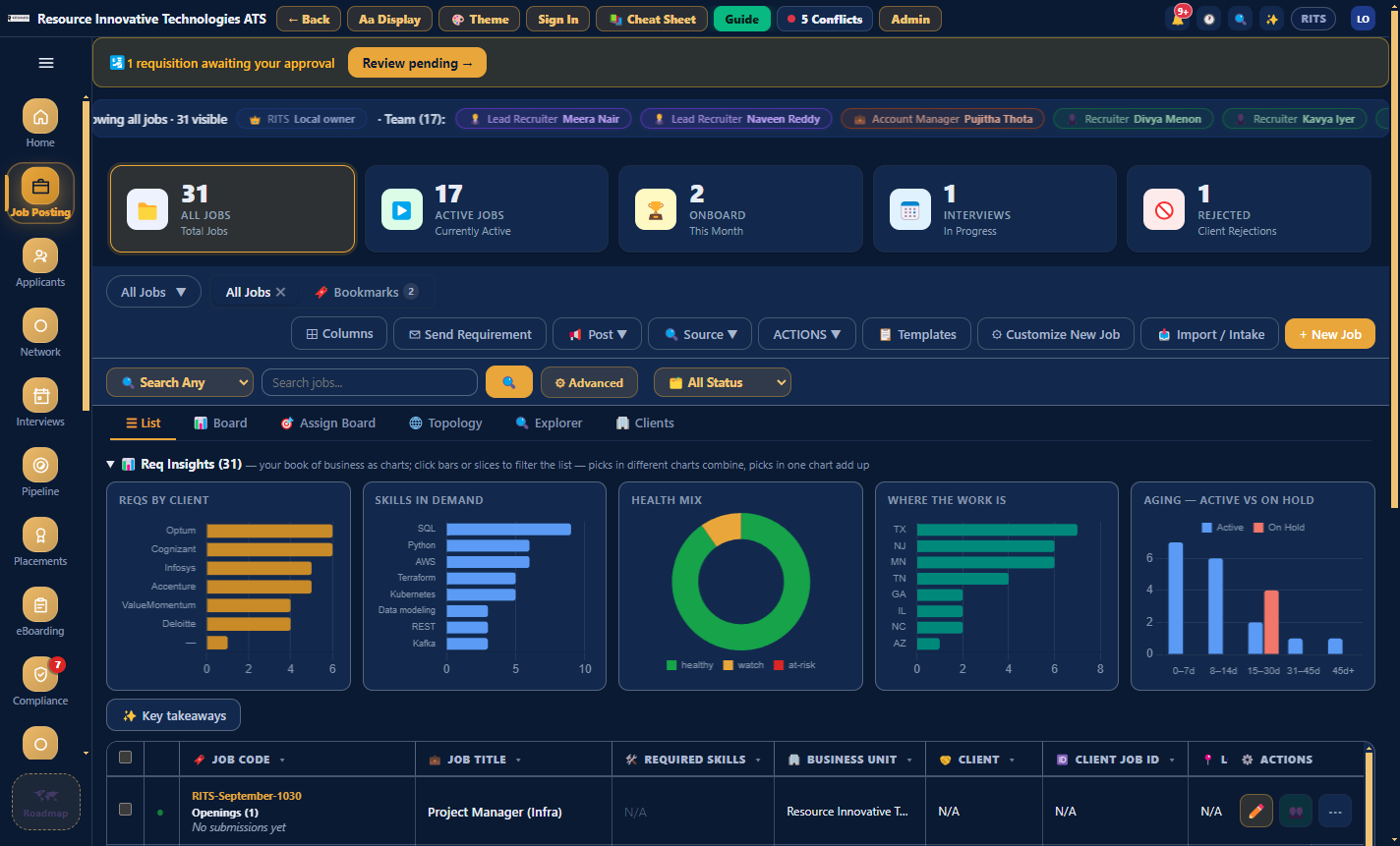
01 · Job Posting, List view
See which reqs need attention.
Job Posting has six views: List, Board, Assign Board, Topology, Explorer and Clients. The strip along the top shows reqs with no submissions, approvals waiting and SLA breaches. Sort the list by health and the req with the biggest gap comes to the top.
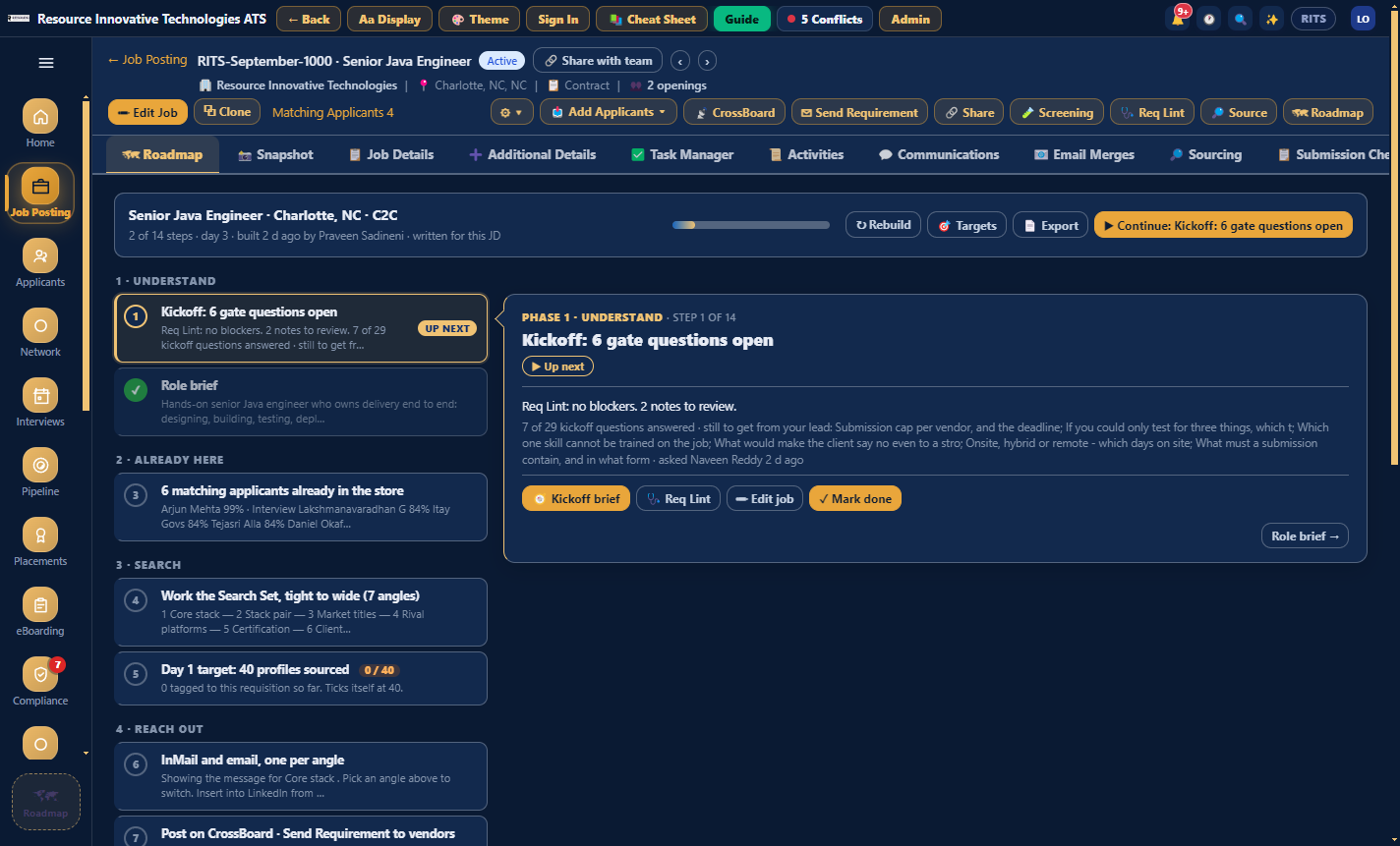
02 · Job snapshot, Roadmap tab
A recruiting plan for every role.
Each requisition has a 14-step Roadmap in 8 phases. Step one is the kickoff brief, 29 questions in six blocks, pre-filled from the JD. Targets scale with the number of openings, steps tick off as the work happens, and you can export the plan as a PDF to hand to the client.
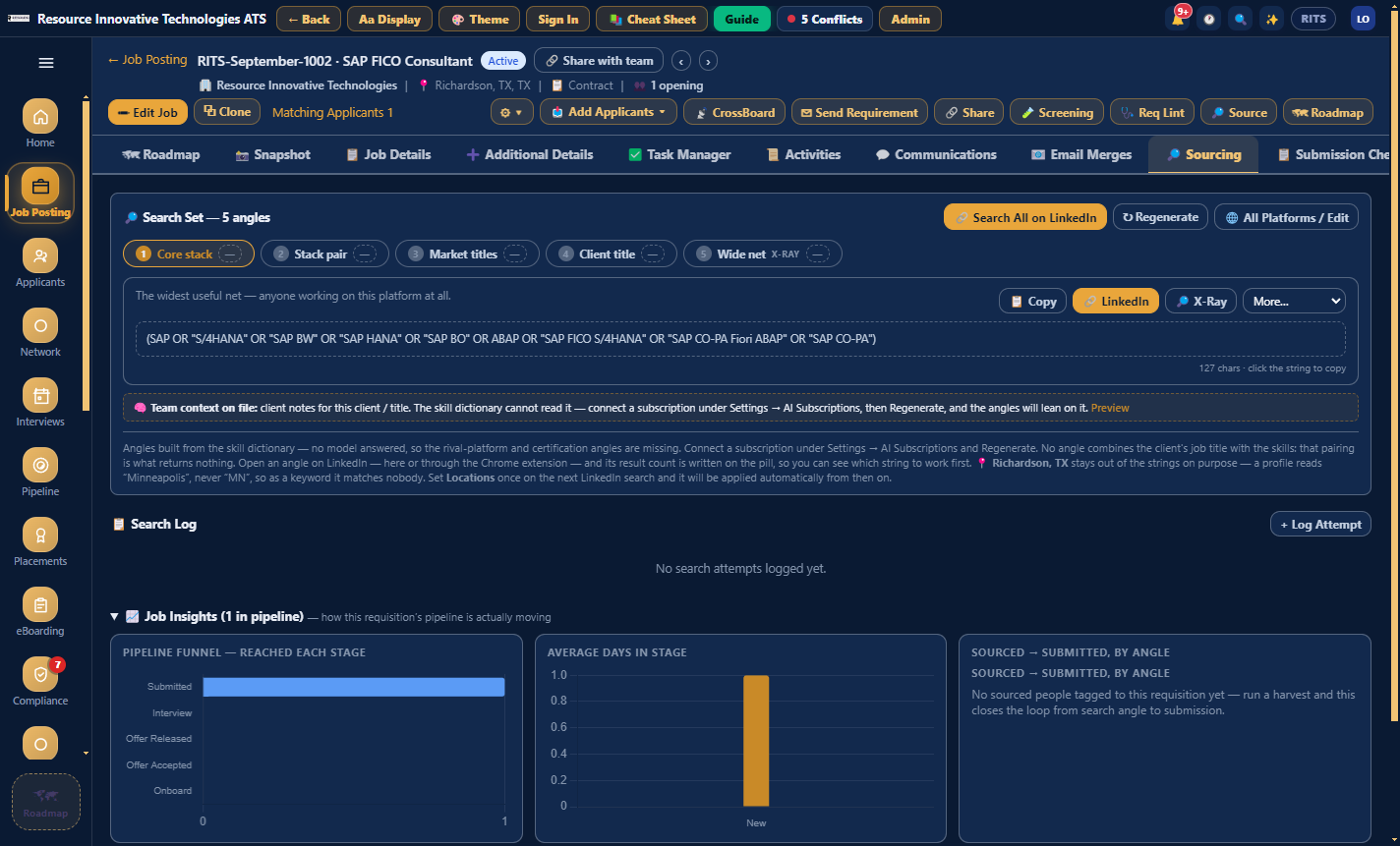
03 · Job snapshot, Sourcing tab, Search Set
Seven searches, each with a reason.
The Search Set writes seven boolean strings for each role, for example the core stack, the client's job title and the titles people actually use, and explains why each one is there. Work authorisation is never put in a string. When you rate the sourced candidates, Calibrate re-ranks the next set based on who you rejected.
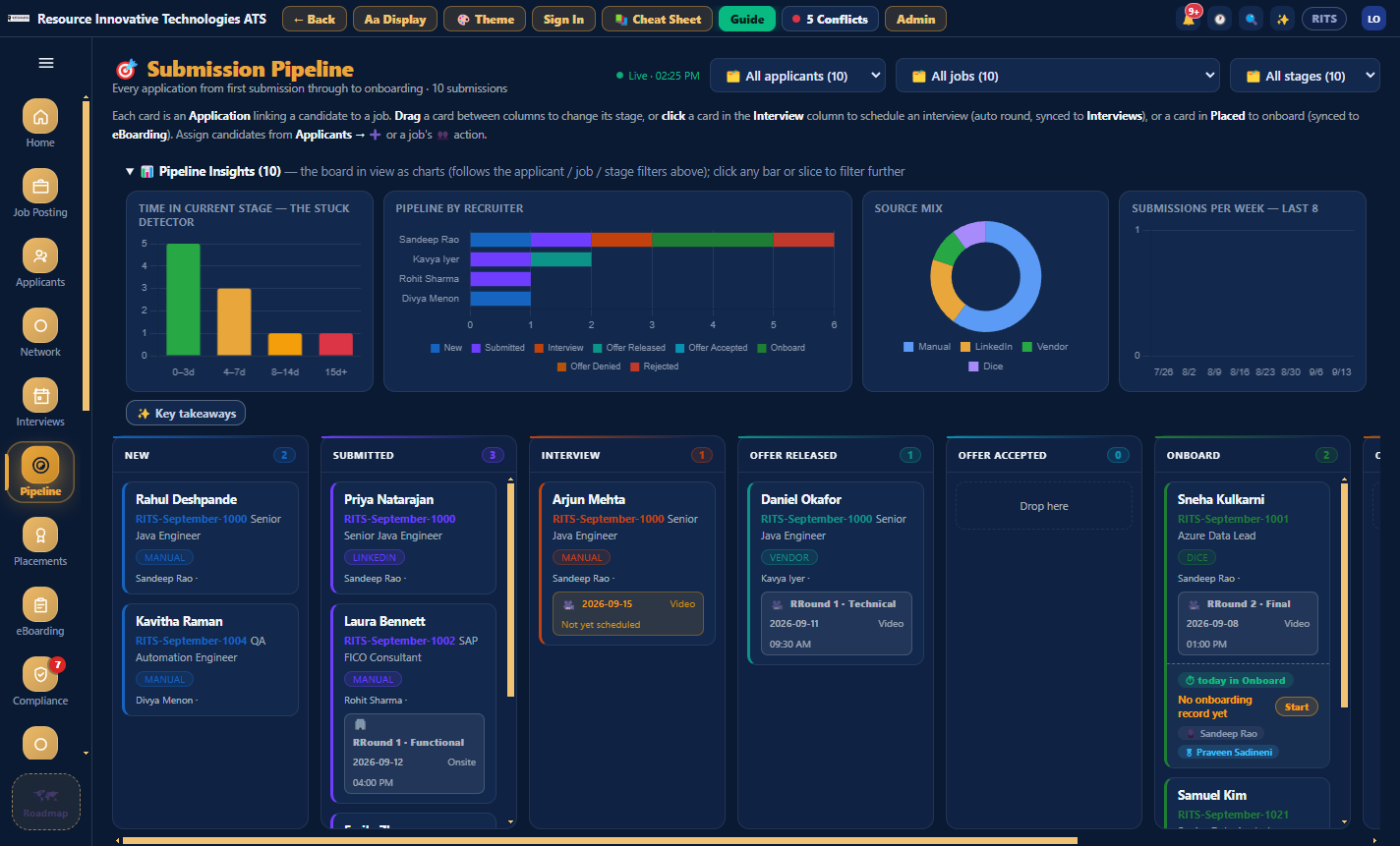
04 · Pipeline board
Every move on the board is recorded.
Each application is a card across eight stages. When you drag a card, the board records who moved it, from which stage, and when. If a move would break a submission rule, the board blocks it there and then.
In detail
What is in this module.
Win the work
- Job Posting: List, Board, Assign Board, Topology, Explorer and Clients views
- Job snapshot with eleven tabs, from Roadmap to Onboarding Checklist
- Communications and Activities tabs: every email and stage change on the req, in order
- Attention strip: no submissions, approvals waiting, SLA breached
Find the people
- Applicants with Matchmaker, Explorer, Resume Inbox and Pool Insights
- Duplicates are refused on an exact email or phone match; a near match asks you first
- CrossBoard shows LinkedIn, Dice and Public Records inside the app
- Fit Analysis shows which job a score was against and which skills matched
Run the process
- Pipeline across eight stages, with a stuck detector
- Interviews in Log, Week and Calendar views. Unscheduled interviews stay visible as "Not yet scheduled"
- Submission rules that explain their legal reasoning
- Send Requirement to vendors, logged on the requisition
Works with
- Dice
- Public Records
- Gmail
- Outlook

Twenty minutes, no slides
See your own reqs in it.
Bring a job description and a vendor list to the demo and we will set them up live while you watch.
Book a 20-minute demo