
Chrome extension
Works where your recruiters already are.
The extension is a companion to the desktop app, not a copy of it. There is no second database. It puts the app's JD intake, duplicate check, submission rules and mailbox onto Gmail, LinkedIn and Dice, so nothing gets typed twice.
Book a 20-minute demo
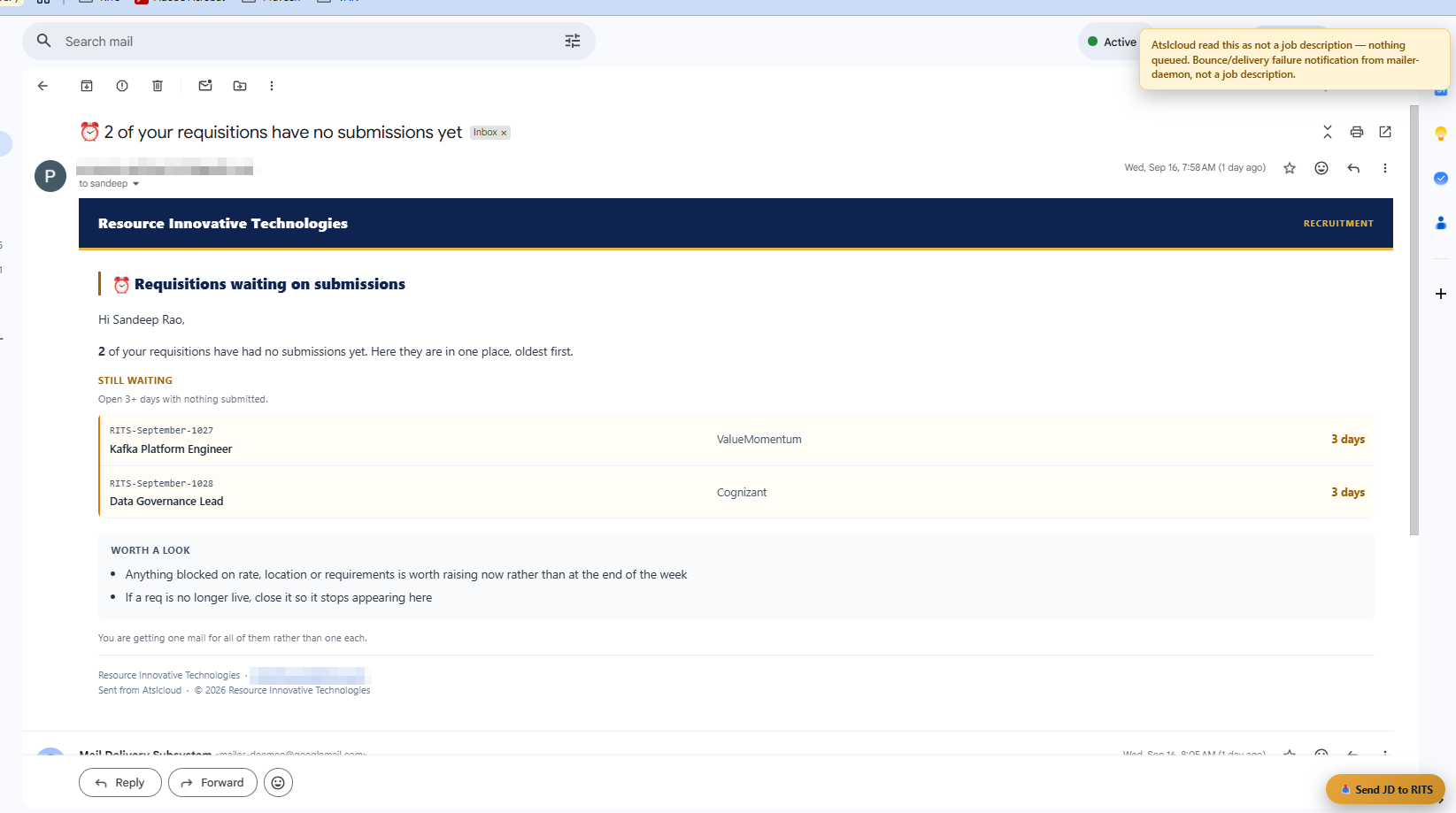
01 · Gmail, Send JD to RITS
Send a JD from your inbox.
The button sits on every message, so we tested it on the wrong ones too. Press it on a bounce notification and the toast says "AtsIcloud read this as not a job description, nothing queued". Press it on a vendor email with six openings and it queues six drafts.
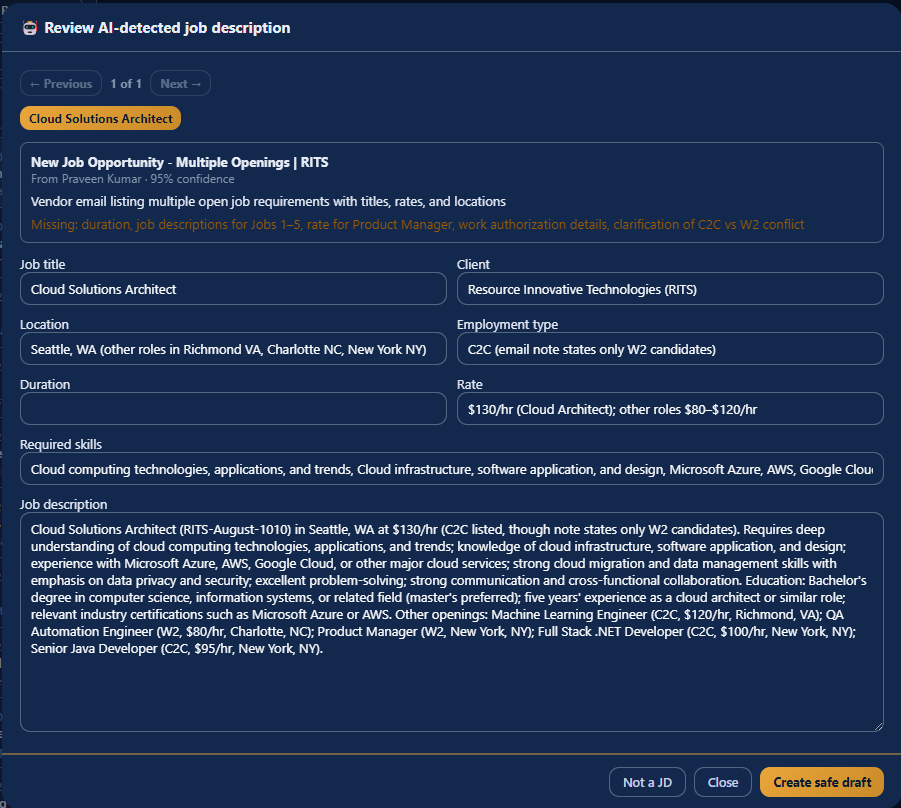
02 · Inbox, Review AI drafts
It tells you how sure it is, and what is missing.
Review AI drafts shows the confidence, 95% in this case, and what it read the email as. It lists the fields it could not find instead of guessing them. If the email says C2C in one place and W2 only in another, it flags the conflict rather than picking one. Nothing is saved until you press Create safe draft.
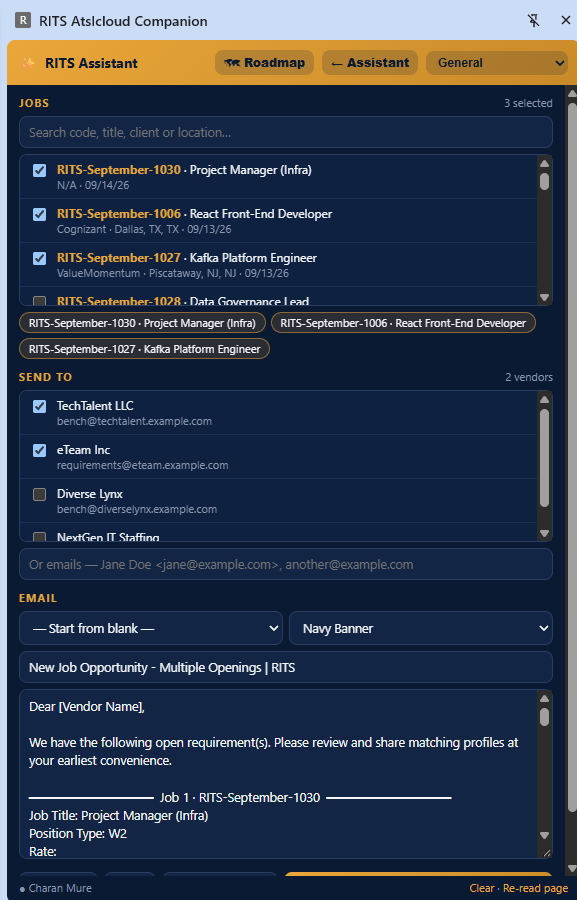
03 · Side panel, Send requirement
Send a requirement without leaving the tab.
Pick the reqs by number, pick vendors or type email addresses, pick a template. The app builds the email with one block per job and sends it through the mailbox connected in the desktop app, with the same logging as the app's own Send Requirement dialog.
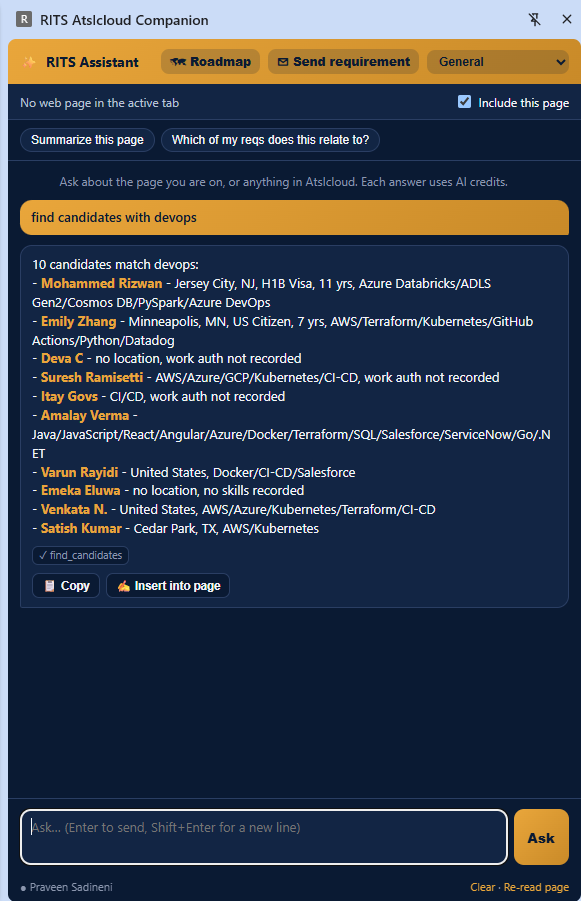
04 · Side panel, find_candidates
Who do we already have?
Ask from any tab and it searches your own database first, before any job board. You get the matches from candidates you already have, with the skills that matched each one. Where a field is blank it says so, for example "work auth not recorded".
05 · LinkedIn, Post from RITS
Post the job without writing the post.
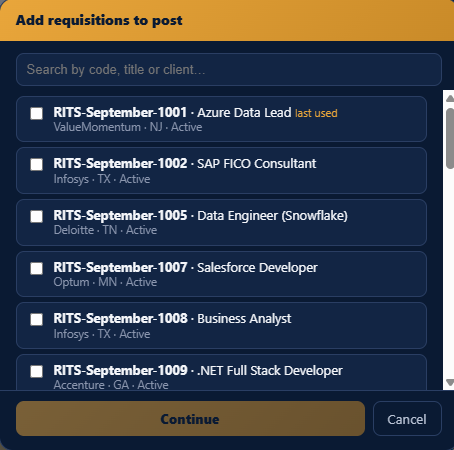
Tick the reqs you want and each one gets its own LinkedIn post, written from that req's details: client, location, W2 or C2C, rate, and what the person will actually do. Insert into LinkedIn drops it into the composer. Regenerate works per post, so you can redo one without losing the others.
In detail
What is in this module.
Where it shows up
- Gmail and Outlook web: Send JD to RITS on the open message
- LinkedIn: Save to RITS, plus In RITS badges on every profile link
- Dice: the same, matched on Dice id, plus a "Viewed N days ago" note so you do not pay for the same view twice
- Popup and side panel: a req's Search Set with Search LinkedIn, X-Ray and Copy buttons
How it behaves
- It never opens profiles or walks a results page by itself. Every action is a click you make.
- Nothing sends on its own. Insert fills the composer and you press send.
- Connect, Message, InMail and Follow check whether the person is already in RITS and tell you who owns them.
- You pair it once with a token. Regenerate the token in the app and every paired browser is disconnected.
Works with
- Gmail
- Outlook
- Dice

Twenty minutes, no slides
See your own reqs in it.
Bring a job description and a vendor list to the demo and we will set them up live while you watch.
Book a 20-minute demo